Learn one clear way to trade. Then keep an honest record.
The Pivotwright Trading Manual teaches a rule-based way to read a price chart and turn it into a written, tested trading plan. Pivotwright Journal is where you record every trade against that plan and see what actually works for you.
One-time payment. No subscription. Education only, not financial advice.


The Pivotwright Trading Manual
A complete, rule-based trading course in one 415-page PDF. Every idea is defined by a rule you can check on a chart, so a trend, a level or a sweep means the same thing in every chapter.
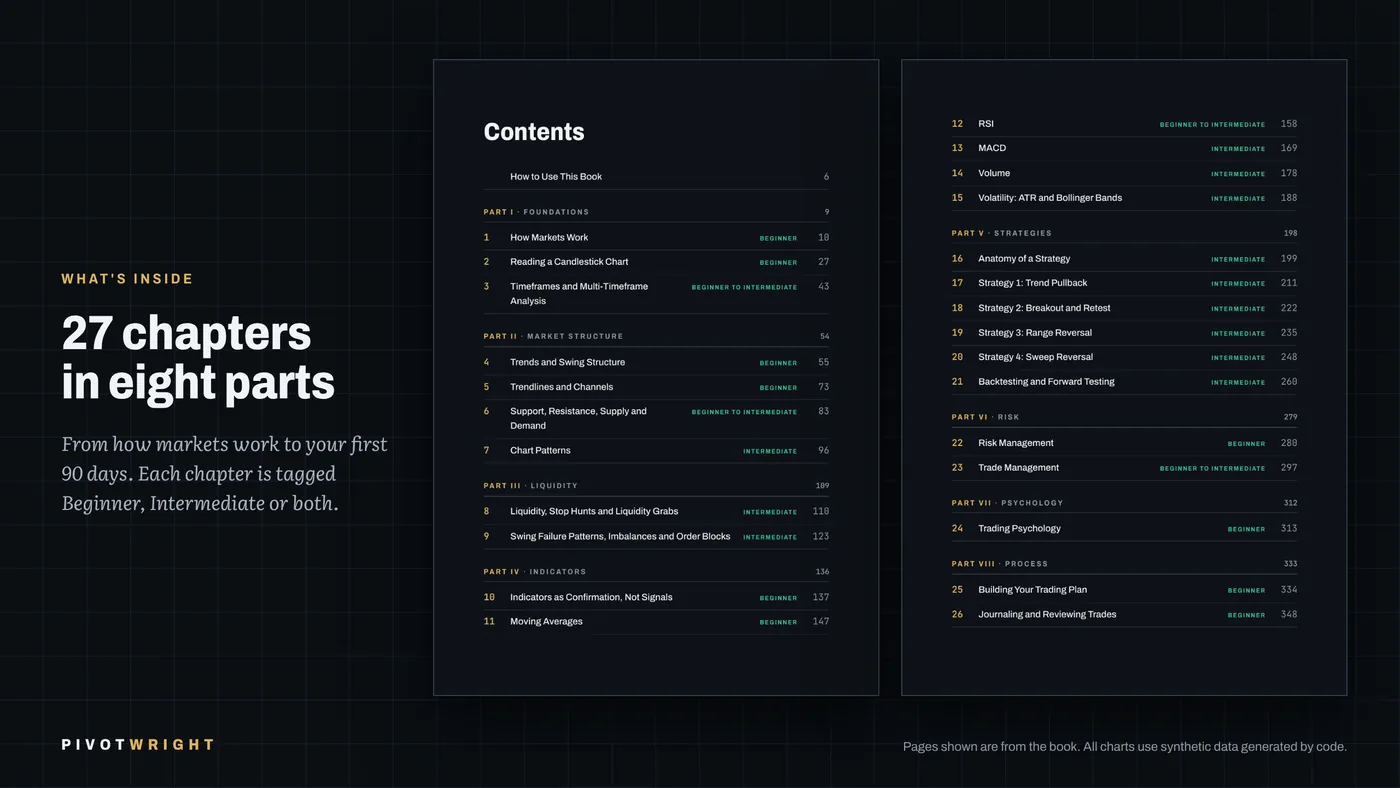
- 415 pages, 27 chapters in eight parts, plus appendices A to H
- Two editions: dark for screens, light for printing, with the same page numbers
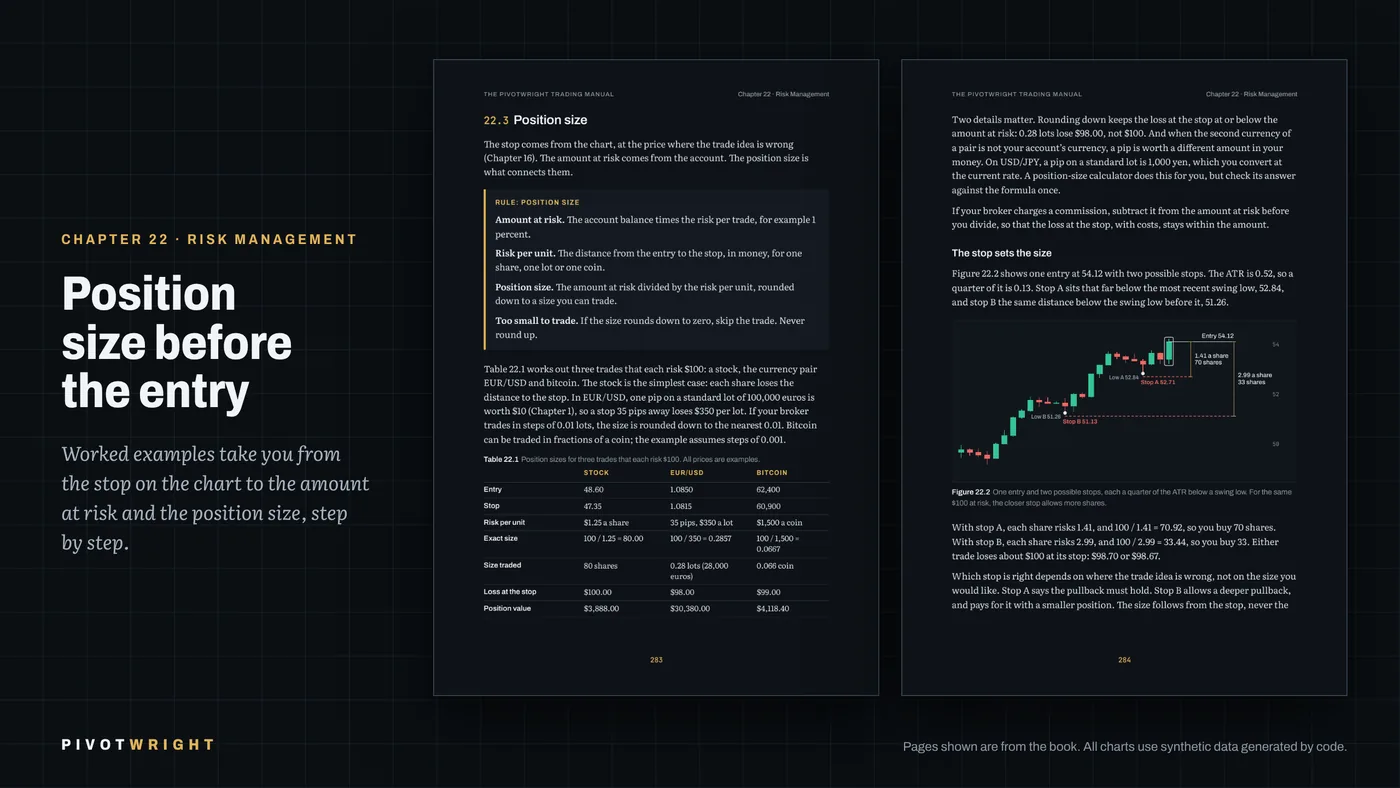
- In every chapter: rule boxes, worked examples, common mistakes, key points and an exercise with answers
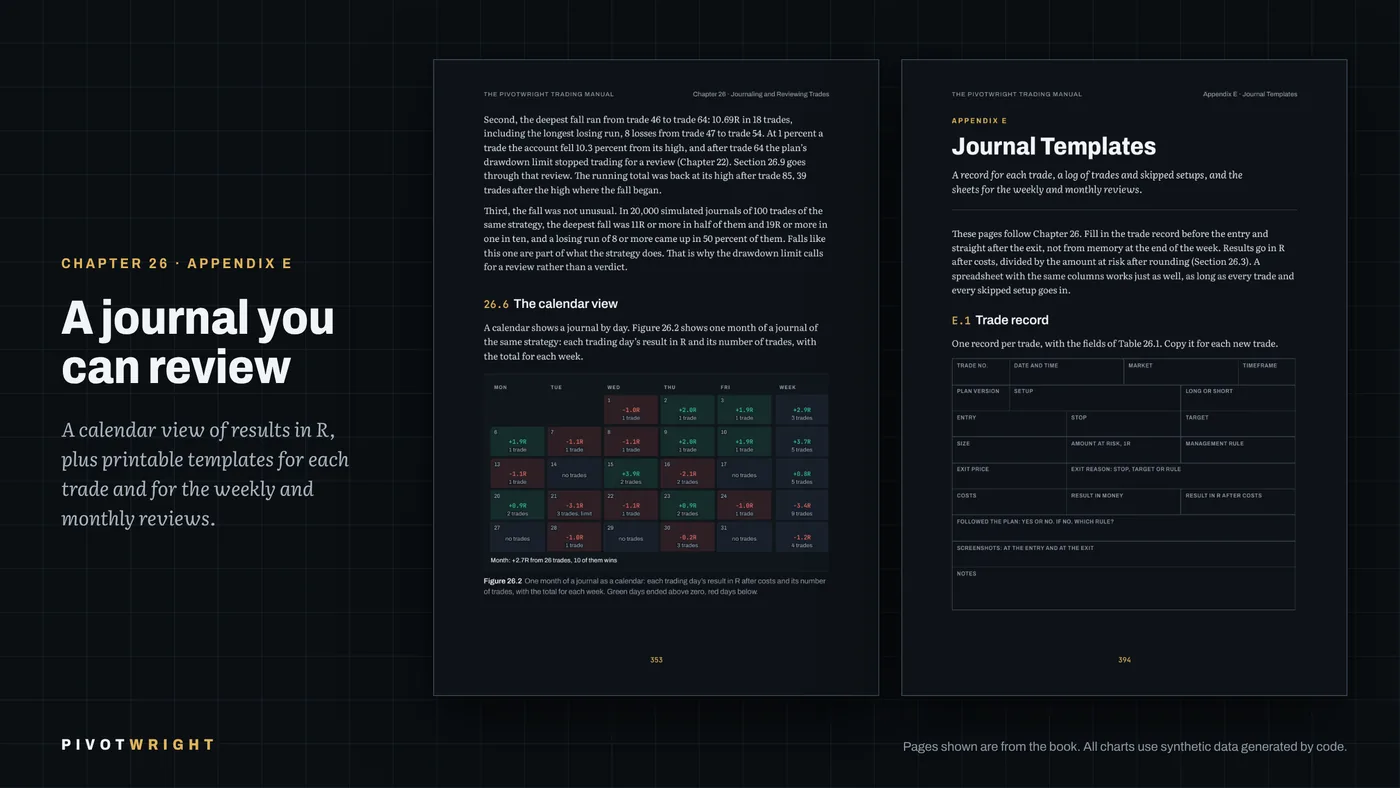
- Templates for a trading plan and a journal, checklists, a formula sheet and every rule of the book on a few pages

- PART I
Foundations
How orders become prices, reading a candlestick chart, timeframes.
- PART II
Market structure
Trends and swings, trendlines, support and resistance, supply and demand, patterns.
- PART III
Liquidity
Stop hunts, swing failures, fair value gaps and order blocks, each with an exact definition.
- PART IV
Indicators
Moving averages, RSI, MACD, volume, ATR and Bollinger Bands as a second opinion.
- PART V
Strategies
Four complete rule-based strategies, and how to backtest and forward test them.
- PART VI
Risk
Position size, losing streaks, drawdowns and trade management.
- PART VII
Psychology
Thinking in probabilities, common biases, a routine that keeps a plan intact.
- PART VIII
Process
Your trading plan, journaling and review, and your first 90 days.
Pivotwright Journal
A simple trading journal that opens on a money calendar. Log a trade in seconds, mark whether you followed your plan, and let the stats show which setups work for you.
- Calendar with each day's profit or loss, weekly totals and a mark on days a rule was broken
- Quick trade entry: symbol, long or short, result, setup and plan check, with more details when you want them
- Stats by month, year or all time: win rate, average result, by setup and by asset
- Daily notes and screenshots, CSV import and export, and full backups
- Works on phone and computer, installs to the home screen, syncs with a sign-in by email code

Pay once. Keep it.
No subscriptions. Checkout is handled by Gumroad, which also takes care of sales tax and VAT.
The book
- The Pivotwright Trading Manual, 415 pages
- Dark and print editions (PDF)
- Plan and journal templates, checklists
Book + Journal
- Everything in the book
- Lifetime licence key for Pivotwright Journal
- Learn the plan, then track it
The journal
- Pivotwright Journal web app
- Lifetime licence key, no subscription
- Sync between your devices
Good to know
Is this financial advice?
No. The book and the journal are for education and record keeping only. They contain no signals, tips or recommendations to buy or sell anything, and no promise of profit. Trading carries a substantial risk of loss.
Who is the book for?
Beginner and intermediate traders who want a structured approach instead of scattered tips. Each chapter is marked Beginner, Intermediate or both. The methods work on any market with a price chart; the examples use stocks, forex and crypto.
How do I get the book after buying?
Gumroad emails you a download link right away. You get two PDF files with the same pages: a dark edition for screens and a light edition for printing.
How does the journal licence work?
After buying, Gumroad gives you a licence key. Open app.pivotwright.com, sign in with your email (we send you a 6-digit code, no password) and enter the key once. It then works on every device where you sign in with the same email. The key does not expire.
Can I try the journal first?
Yes. Without a licence the journal opens as a demo with example trades, so you can look around every screen before you buy.
Does the journal work on my phone?
Yes. It runs in the browser on phones, tablets and computers, and you can add it to your home screen like an app. It is not in the App Store or Google Play.
Does the journal connect to my broker?
No. You enter trades yourself or import them from a CSV file. The journal never connects to a broker or an exchange account.
What if something does not work?
Write to support@pivotwright.com and we will help. Payments and refunds are processed by Gumroad; your rights are described in the Terms.